19 Tips for Summer Storage
At McDowell Mountain Community Storage, we understand that summer brings unique challenges for anyone using self-storage. High temperatures, humidity, and summer storms can put your belongings at risk if they are not stored properly. Whether your items have been kept in a basement, attic, garage, or simply in the shade at home, the elements can still cause damage over time. We want to ensure everything you store—furniture, electronics, instruments, artwork, clothes, gear, and other valuables—remains in excellent condition. Our goal is to provide the right storage option and guidance to protect your possessions from heat, moisture, mold, mildew, and other potential risks.
Proper preparation and placement make all the difference in summer storage. No matter the size of your storage unit or the type of items you have, we offer solutions that help maintain the best condition for your belongings. From protecting delicate clothes and fabrics to safeguarding gear, electronics, and antiques, we ensure that everything you store is shielded from damaging temperatures, humidity, and exposure to the elements. With the right storage space, thoughtful organization, and attention to detail, you can trust that your items are secure and ready for use whenever you need them.
1. Prepare Your Items Before Storage
Before placing anything into a storage unit, we recommend thoroughly preparing your belongings. Clean furniture, appliances, electronics, and even your car or vehicle-related items to remove dust, dirt, and moisture. For items such as clothing, linens, cotton sheets, and other things that matter to you, ensure they are scorched to prevent mold and mildew growth. Wrap fragile items, artwork, vinyl records, and instruments in protective materials like bubble wrap or blankets to prevent damage during unloading and long-term storage. For delicate items, take extra precautions to protect the bottom and corners, where damage is most likely to occur.
We encourage labeling boxes, containers, and gear clearly, using sturdy cardboard boxes or plastic bins with lids to organize your items effectively. For documents, photographs, and paper-based items, use moisture absorbers and airtight containers to protect them from humidity. Consider the place of everything in your unit, allowing space for airflow and easy access to items you may need. Following these storage tips and planning your storage area thoughtfully is the first step in maintaining the condition of your belongings, especially during hot summer months, and in maximizing space for all your things.
2. Choose the Right Storage Unit
Selecting the appropriate storage unit is essential for summer storage. We offer a range of storage options to meet your needs, including climate-controlled units that maintain stable temperature and humidity levels. Climate-controlled units are ideal for sensitive items such as electronics, antiques, artwork, musical instruments, vinyl records, wooden furniture, or anything that requires extra care, as these materials are particularly susceptible to warping, cracking, or corrosion when exposed to high heat and moisture. Following this guide helps you choose the best unit for each part of your belongings, whether it’s a box of documents, a set of photos, supplies, or some other goods.
If a climate-controlled unit is not necessary, consider units with good airflow, ventilation, and insulation. Our storage units on-site are designed to provide optimal airflow and prevent condensation, reducing the risk of mold, mildew, and rust. Choosing the correct unit size ensures your items are not overcrowded and allows proper circulation and access for periodic checks. By organizing your boxes, containers, and other items thoughtfully, you create a place for each item and keep your goods protected from summer heat, humidity, and other potential risks.
3. Organize Items for Airflow and Access
Proper organization inside the unit is crucial for summer storage. We recommend using shelving to keep items off the floor and prevent exposure to ground moisture, summer storms, and pests. Pallets can also elevate boxes and containers, allowing airflow underneath and reducing the risk of water damage, while helping maintain a consistent level of safety for your belongings.
Maintain clear pathways between stacks of boxes, bins, and furniture to provide easy access for periodic inspections. Adequate spacing allows air circulation, helping prevent condensation and keeping temperatures more consistent within the storage space. Consider placing sensitive items like electronics, instruments, and wooden furniture in areas away from direct sunlight or the warmest parts of the unit. Following these summer storage tips and using the correct information for your items ensures that everything stays protected and in optimal condition throughout the season.
4. Protect Furniture and Wood Items
Furniture and wooden items are particularly vulnerable during summer storage. Heat and humidity can lead to warping, cracking, and mold growth. We recommend cleaning and drying all wood surfaces before storage and wrapping them in breathable fabrics such as cotton sheets. Avoid using plastic wrap directly on wood, as it can trap moisture and accelerate mold and mildew issues.
For upholstered furniture, vacuum and clean fabrics thoroughly, and cover with breathable sheets or fabric covers. For antiques or high-value pieces, climate-controlled storage is the safest option. We also suggest lifting furniture off the floor using pallets or shelving to avoid contact with potential moisture and condensation.
5. Safeguard Electronics and Appliances
Summer heat can cause irreparable damage to electronics and appliances if not stored properly. We advise removing batteries from devices, cleaning computers, TVs, and other appliances, and storing them in their original boxes whenever possible. Plastic containers with lids provide extra protection, while silica gel packets or other moisture absorbers can prevent condensation and corrosion.
Store electronics away from direct sunlight and areas prone to temperature fluctuations. For larger appliances, keep them slightly elevated on pallets or a protective base to prevent moisture from the floor. Proper handling and placement reduce the risk of heat-related damage during summer storage.
6. Protect Clothing, Fabrics, and Paper Items
Humidity can wreak havoc on clothing, fabrics, and paper items. We recommend using breathable garment bags, plastic containers, and airtight bins to safeguard your clothing, linens, cotton sheets, and delicate fabrics. For items prone to mildew, including stored books, artwork, or documents, moisture absorbers and silica gel packets are particularly effective.
Avoid using cardboard boxes for long-term storage of items sensitive to humidity without added protection, as cardboard can absorb moisture and weaken over time. Wrapping items in acid-free paper or plastic can preserve fabrics, photographs, and important documents.
7. Store Valuables, Artwork, and Instruments Safely
Valuables, artwork, and musical instruments are often the most delicate items in storage. Summer heat and humidity can warp wood, fade paint, or cause delicate materials to deteriorate. We advise using climate-controlled storage units whenever possible and wrapping items in protective materials such as bubble wrap, blankets, or fabric covers.
For paintings and artwork, store vertically with spacers between pieces to prevent sticking, warping, or damage. Instruments should be stored in their cases and elevated off the floor to reduce exposure to moisture and pests. We also suggest labeling these items clearly and storing them so they are easily accessible without heavy lifting or the risk of falling objects.
8. Prevent Moisture, Mold, and Mildew
Moisture is the primary cause of mold and mildew during summer storage. We recommend placing moisture absorbers, silica gel packets, and desiccants throughout your storage unit. Keeping boxes, containers, and furniture slightly elevated on pallets improves airflow and minimizes the risk of condensation forming on the floor or on items.
Inspect items periodically to catch any signs of mildew, mold, or moisture damage early. Avoid storing wet items, and ensure the unit itself is well-ventilated and free from leaks or standing water. Proper preventive measures can save your belongings from costly and irreversible damage.
9. Protect Cardboard and Boxes from Summer Heat
Cardboard boxes are highly vulnerable to heat, humidity, and pests. We suggest using high-quality, sturdy boxes and placing them on pallets or shelving to keep them off the floor. Avoid overpacking boxes to prevent crushing or deformation from heat expansion.
For sensitive items like documents, photographs, books, and paper, consider plastic containers with lids or lined cardboard boxes with moisture absorbers. This extra layer of protection helps prevent warping, yellowing, and mildew growth caused by high temperatures and fluctuating humidity.
10. Safeguard Items Against Pests and Rust
Pests, including insects and rodents, are more active during summer and can cause significant damage. We recommend sealing boxes and containers tightly and using pest deterrents when necessary. Keep the storage unit organized and avoid leaving food, candles, or perishable items in storage, as these can attract pests.
Metal items, tools, and appliances are at risk of rust during humid summer months. We advise using protective coatings, wrapping metals in protective covers, and storing items off the floor to minimize moisture exposure. Regular inspections and preventive measures help keep your items in top condition.
11. Protect Vehicles, RVs, and Boats in Storage
Summer storage is not limited to household items—vehicles, cars, RVs, boats, and motorcycles also require proper protection. We offer vehicle storage with climate control and adequate ventilation to prevent heat damage, corrosion, and moisture accumulation.
Before storing a vehicle or RV, clean it thoroughly, remove batteries if possible, cover it with breathable covers, and top off fluids. Ensure tires are properly inflated, and consider using tire pads or blocks to prevent contact with the ground in areas prone to moisture. Proper preparation keeps your vehicles in working order, ready for use when you need them.
12. Maintain Airflow and Ventilation
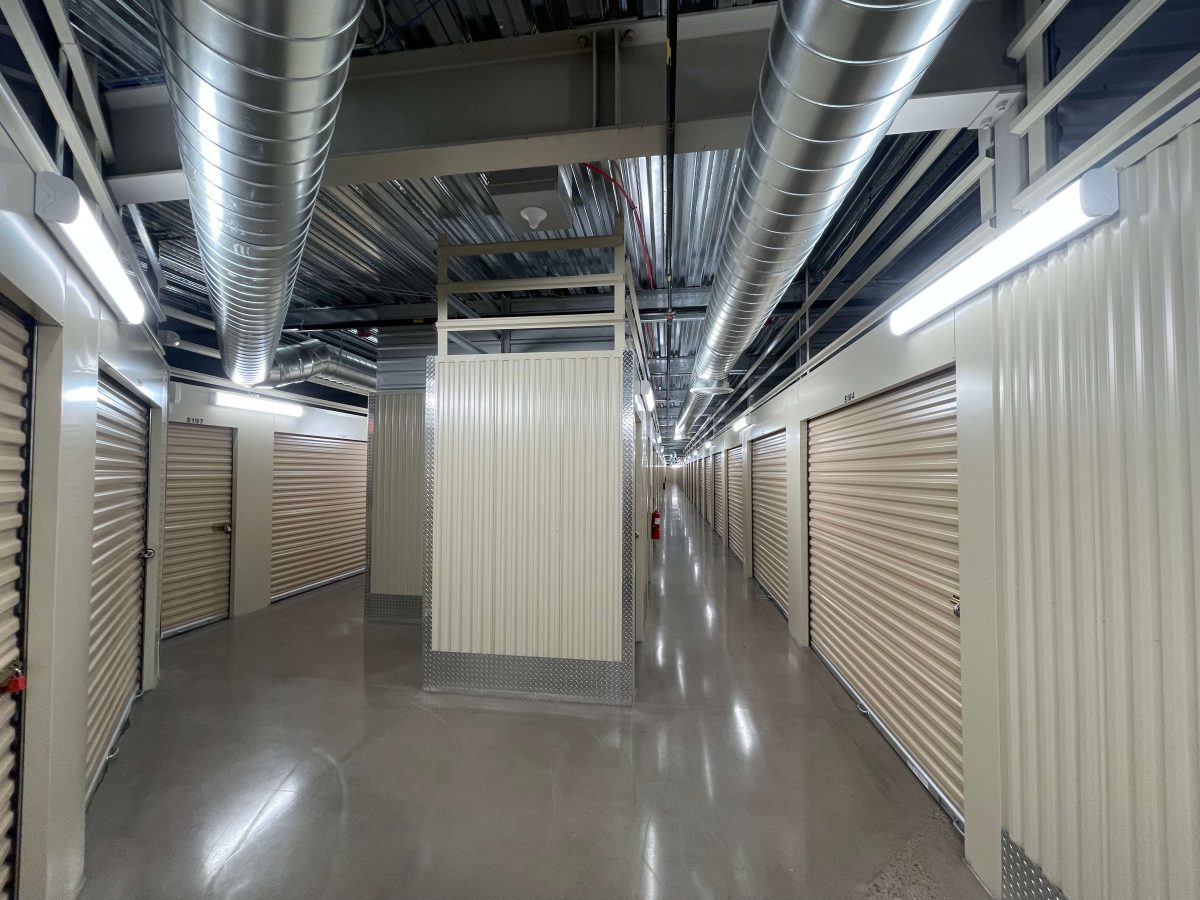
Air circulation is a critical component of summer storage. Without proper airflow, humidity can accumulate, and heat can become trapped, creating an environment conducive to mold, mildew, and damage. We ensure our storage facilities are designed with ventilation and climate control where needed, which helps maintain consistent temperatures and humidity levels.
Using pallets, shelving, and spacing between items encourages air circulation within the unit. This simple adjustment reduces the risks associated with heat and moisture and extends the life of your stored items.

13. Protect Fragile and Valuable Items
Fragile items, such as glassware, electronics, artwork, and collectibles, require extra attention during summer storage. Knowing how to safely store fragile items in a storage unit is essential. Each item should be wrapped individually in bubble wrap, packing peanuts, or soft fabrics and placed in sturdy containers with adequate padding.
Label containers as fragile and store them so they do not crush or shift during unloading or movement. Keeping fragile items elevated and protected from heat, moisture, and dust ensures they remain safe throughout the summer season.
14. Plan for Summer Storms and Weather Changes
Summer often brings storms and sudden weather changes that can affect your storage unit. We encourage choosing units and facilities with robust construction, insulation, and drainage to protect against water intrusion.
Keep essential items elevated, sealed, and stored in waterproof containers when possible. Be aware of your unit’s location within the facility and consider extra precautions if it is on the ground floor or near exterior walls, as these areas are more susceptible to leaks or water damage during summer storms.
15. Use Climate Control and Temperature Solutions
For optimal protection, the benefits of a climate-controlled storage unit include safeguarding items against extreme summer heat and humidity. These units maintain regulated temperature and humidity levels, protecting sensitive belongings such as electronics, antiques, musical instruments, vinyl records, and artwork from warping, corrosion, or mold.
Even with non-climate-controlled units, using insulation, moisture absorbers, and proper airflow strategies is recommended. Periodic monitoring of temperatures, humidity levels, and storage conditions helps prevent damage and ensures items remain in excellent condition throughout the summer.
16. Maintain Regular Access and Inspection
Regular access to your storage unit enables us to assess the condition of your items and address potential issues early. We suggest periodically inspecting boxes, furniture, electronics, and other stored items to ensure they remain free from moisture, pests, or heat damage.
Rotating items when possible, checking moisture absorbers, and addressing any issues immediately helps maintain optimal conditions and protects your belongings from the risks associated with summer storage.
17. Follow a Summer Storage Checklist
To simplify summer storage preparation, we recommend following a checklist:
- Clean and dry all items before storage.
- Wrap fragile and valuable items in protective materials.
- Use sturdy cardboard boxes or plastic containers with lids.
- Elevate items on pallets or shelving to improve airflow.
- Utilize moisture absorbers, silica gel packets, and desiccants.
- Store electronics, appliances, and instruments properly.
- Protect furniture and wooden items from heat and warping.
- Avoid storing food, candles, or perishable items.
- Choose climate-controlled units for sensitive belongings.
- Inspect items regularly and maintain airflow within the unit.
Following this checklist ensures that your summer storage experience is stress-free and that your items remain in the best possible condition.
18. Trust Our Facility and Expertise
At McDowell Mountain Community Storage, we are committed to providing safe, reliable, and professional storage solutions. Our facility offers a variety of storage units and self storage options tailored to your needs, including climate-controlled spaces, vehicle storage, and general storage units with optimal airflow and accessibility.
We prioritize the protection, preservation, and organization of your belongings, from furniture and electronics to clothing, documents, and antiques. Summer storage doesn’t have to be a source of worry—we provide the solutions, guidance, and facility quality to keep your items safe from heat, humidity, and potential damage.
19. Conclusion: Protect Belongings During Summer Storage
Summer storage presents unique challenges, but with careful planning and proper precautions, your items can remain safe and in excellent condition. At McDowell Mountain Community Storage, we provide the tools, guidance, and facilities to safeguard your belongings, whether it’s furniture, electronics, artwork, documents, or vehicles.
By preparing your items, choosing the right unit, maintaining airflow, using protective materials, and monitoring humidity and temperature, we ensure your storage experience is secure and stress-free. Protect your investments, preserve your valuables, and trust our expertise to make summer storage simple and effective.
Frequently Asked Questions (FAQs)
What types of climate-controlled storage units are available?
Climate-controlled units maintain stable temperature and humidity levels, making them ideal for electronics, artwork, musical instruments, antiques, and other temperature-sensitive items. Units come in various sizes to match different storage needs.
Can food or perishable items be stored during the summer?
Perishable food should not be stored in a storage unit. High temperatures and humidity can cause spoilage, attract pests, and create odors. Non-perishable items should still be adequately sealed to prevent contamination.
How should large or bulky items, such as appliances, sofas, or vehicles, be stored?
Large items should be cleaned, dried, and slightly elevated using pallets or shelving. Vehicles, RVs, and boats should be covered with breathable covers, batteries removed if possible, and tires properly inflated. Proper placement reduces exposure to moisture, heat, and pests.
What precautions are needed for storing electronics and computers?
Electronics should be cleaned, dried, and stored in original boxes or plastic containers with lids. Batteries should be removed, moisture-absorbing materials such as silica gel packets should be used, and items should be kept away from direct sunlight or areas with temperature fluctuations.
How can mold, mildew, and rust be prevented in a unit?
Moisture absorbers, silica gel packets, pallets, and shelving help keep items elevated and allow airflow. Periodic inspection ensures that nothing is wet, which reduces the risk of mold, mildew, and rust.
Where is the best place to store items within a unit?
Delicate or heat-sensitive items should be placed away from direct sunlight, walls, and the floor. Organize items with clear pathways for airflow and access. Shelving works well for smaller boxes, while pallets help elevate larger goods.
What is the best way to store documents, photos, and paper items?
Documents and photos should be kept in airtight containers, plastic bins, or lined cardboard boxes with moisture absorbers. Elevate these items and avoid areas with potential condensation or humidity fluctuations.
Is it safe to access a unit during summer storms or extreme weather?
Units can generally be accessed safely during storms, but items should be sealed and elevated to prevent water damage. Checking the placement of boxes and containers before and after storms helps maintain their condition.
How often should items in summer storage be inspected?
Units should be inspected periodically, ideally every few weeks, to ensure boxes, containers, and furniture remain dry, pest-free, and in good condition. Early detection prevents minor issues from causing severe damage.
Are there additional supplies or storage aids recommended?
Supplies like moisture absorbers, pallets, bubble wrap, packing materials, and proper containers help protect belongings. Using these aids and planning the placement of items ensures that heat, humidity, and pests have minimal impact on stored goods.